Nixer remote app
Nixer Remote App
Part no. Contact sales for more details
The Nixer Remote App has been designed with 2 initial applications in mind;
- to stream, monitor and mix audio from a WL64-4 via iPad.
- to allow a user to control an RL Series unit via iPad.

- Listen Mode – Ideal for Editorial Staff in Reality TV
- Add pictures and local names for easy identification of each channel
- Control Level and Pan for each channel
- Listen/Listen Hold Modes
- Quick, easy source selection
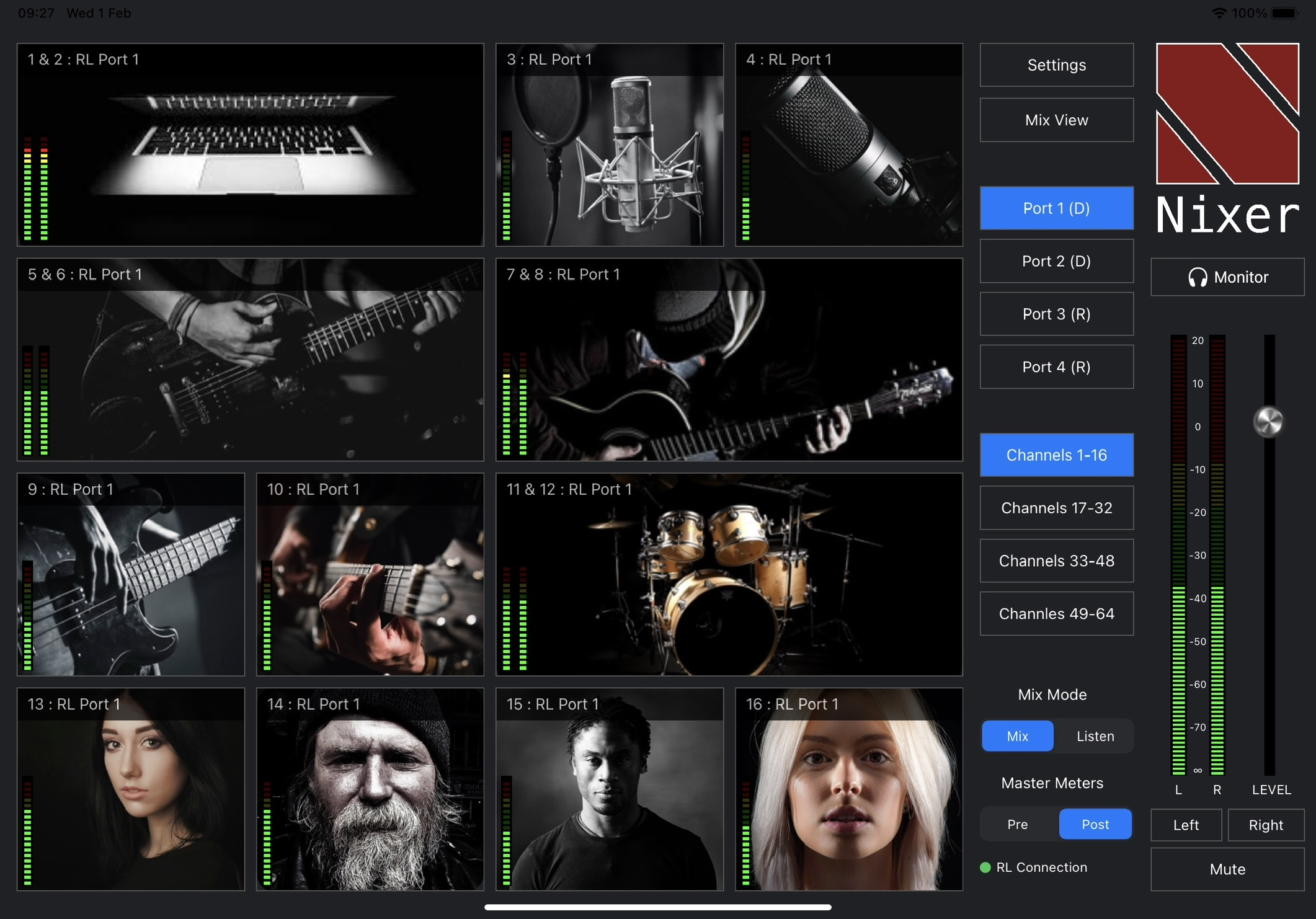
- Mix Mode – Creates individual mix via iPad
- Control Level and Pan for each channel
- On the WL64-4 – 4 x discrete 64 into 2 mixers provided as outputs on the AoIP network
- On the RL Series – 1 x discrete 64 into 2 mixer provided as an output onto the AoIP network
- Quick, easy source selection and adjustment

The Nixer Remote App is a professional audio monitoring and control App that allows users to remotely manage Nixer RL and WL Series Audio-over-IP (AoIP) systems. The Nixer Remote App provides an intuitive touchscreen interface for monitoring, mixing, adjusting channel levels and panning, and identifying sources with custom local images and names. Designed for broadcast, live production, and audio professionals, it enables flexible wireless audio monitoring and control directly from an iPad.
The App is designed to work with Nixer’s AoIP monitoring hardware and supports workflows for reality TV, live events, broadcast production, and other professional audio productions.
When used with the WL64-4 audio monitor up to 4 x iPads can be connected simultaneously. Each iPad User can select and listen to audio streamed from the WL64-4 to create their own individual mix. Each mix is then available as an ouput AoIP stream (Dante/Ravenna etc) from the WL64-4. This allows Directors and Editorial staff working in a fast paced Reality TV production to closely monitor and follow the on-set dialogue etc.
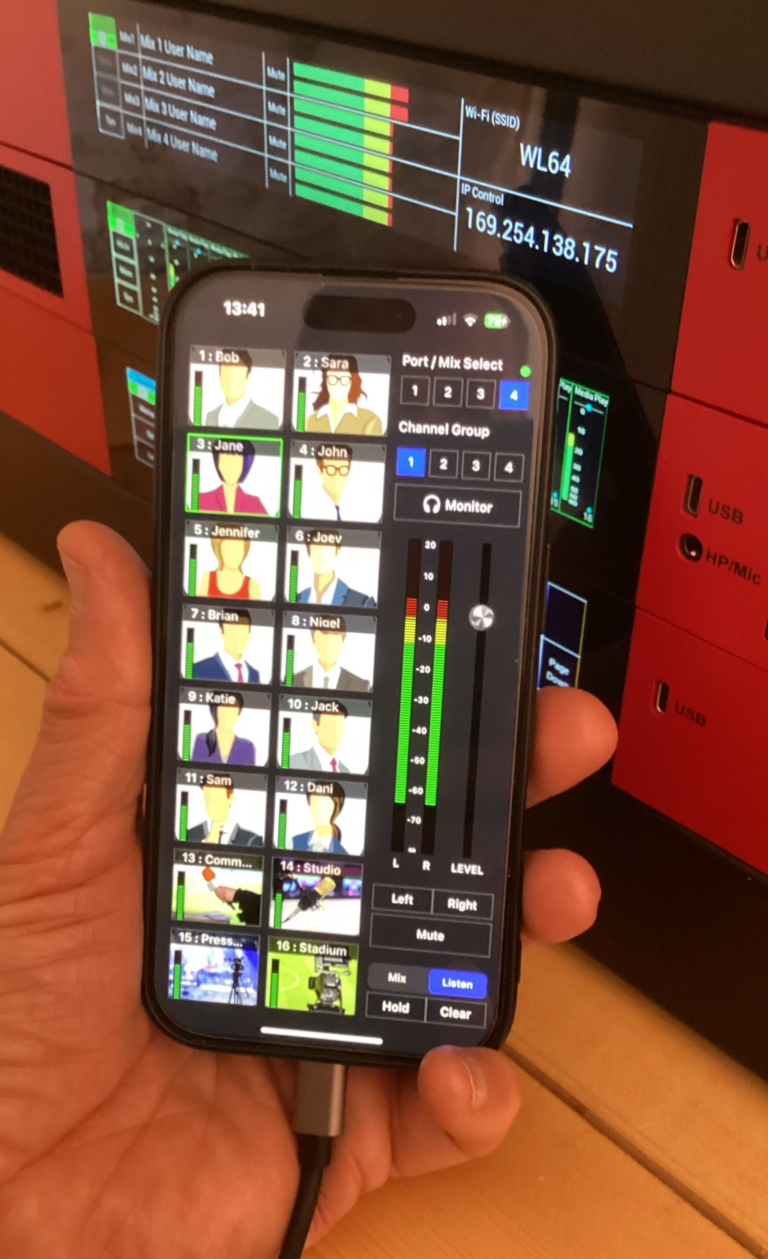
- Users can now download the Nixer Remote App and use on standard iPhones. This allows Production staff to access and monitor any of the audio sources and create their own independent Dante output mix. Any mix of iPads and iPhones (to a total of 4 devices) can be used with each WL64-4.
- Also a great tool for engineering staff to check correct operation.
- The WL64-4 can connect to iPads and iPhones either wirelessly or via a hard-wired network connection.
- Any standard web browser can be connected to the WL64-4 via the wireless/control network port to allow simple and quick visual checks of the audio levels.
- The web page configuration also allows for logging files to be created to capture and share for system diagnositics and trouble shooting.
The App can be operated in a number of modes
- Mix mode where each channel can have it’s audio added to an overall mix via a pop-up window
- Listen Mode where tapping a cell will automatically bring the selected channels audio up for monitoring
- Mix view which changes the screen to a more traditional mixer style view
- Up to four iPads can be connected to one WL64-4 unit. Each iPad creates an independent mix which is output as an AoIP stream from the WL64-4
- Up to ten iPads can be connected to one RL Series unit with shared audio i.e. any change on one iPad is reflected on any others so they mirror each other
- To access and enable the Nixer Remote App with the RL Series the optional items below are required
NIX00710 Remote Control Adapter – enables NixNet control, Web interface with remote metering and connection to iPad App
NIX00602WiFI WiFi Adapter and antenna
For more information please contact your local distributor